Openbird [BETA]
An experimental accessibility-first proof of concept for your Mac — fully open-source
Openbird extracts local context from the frontmost app, focused window, browser URL when available, and visible accessibility text in the active window.
It is intentionally narrow. Openbird is a proof of concept focused on the accessibility pipeline only, not screenshots or broad device surveillance.
The goal is to learn what a trustworthy personal-context layer should look like before this capability is integrated natively into char.com. Everything stays on your Mac by default, and you can inspect the log, pause capture, exclude apps and domains, choose your own model, and delete data whenever you want.
Want the current pipeline? Read how Openbird collects accessibility data, processes it, and generates the daily summary.
Openbird is available now. Download the latest release.
At a glance
- Experimental proof of concept for accessibility-first personal context on macOS.
- Captures the frontmost app, window title, browser URL when available, visible accessibility text, and timestamps.
- Intentionally focused on Accessibility API data only. No automatic screenshots, raw key events, clipboard contents, passwords, secure text fields, or hidden windows.
- Stores captured data locally at ~/Library/Application Support/Openbird/openbird.sqlite and supports Ollama, LM Studio, and other OpenAI-compatible endpoints.
- Built as a native context primitive that is planned for integration directly into char.com.
- Built for macOS 14+ on Apple Silicon.
FAQ
What is Openbird for?
Openbird is a small, focused experiment around turning Accessibility API data into usable personal context. The long-term direction is native integration into char.com.
What can I do with it today?
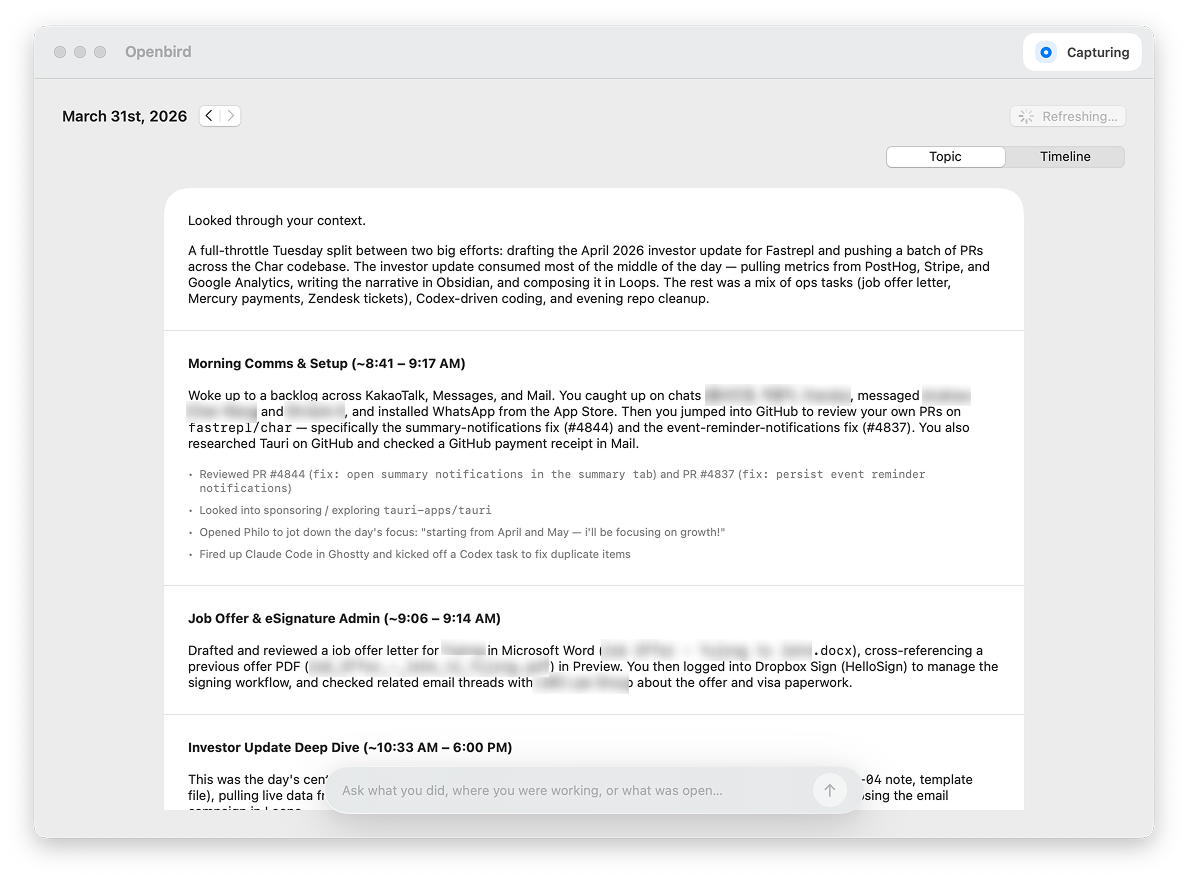
Today it can generate a daily review, answer follow-up questions about your day, and let you inspect the raw activity log behind both.
Can I control or delete the data?
Yes. You can pause capture, exclude apps and domains, inspect the raw log, and delete the last hour, the last day, or everything.
Can I use my own model?
Yes. Local endpoints work out of the box, and remote OpenAI-compatible providers work too.
How do I install it?
Download the latest DMG, drag Openbird.app into Applications, grant Accessibility permission, then pick a provider and generate your first review.